React to the screen
Use several image variants. Act as soon as one matches and check the target again before pressing.
 FARMYRON
YOUR NEXT MOVE. UNDER CONTROL.
Build macros that react to images, follow your schedule and protect your character. Keep control while Farmyron handles the routine.
Windows 10 / 11 · 64-bit
One key - one PC and one Android.
PC + ANDROID
3 days on PC + 3 days on Android. Each period starts with activation on its own device. One trial per device.
01 / BUILT FOR YOUR PLAYSTYLE
Start with a single action. Add images, conditions and schedules when you need them.
Use several image variants. Act as soon as one matches and check the target again before pressing.
Macros wait for images in parallel. Priority takes effect during actions, not while a macro waits or sleeps.
Set HP thresholds for potions and teleport. Protection runs alongside macros, using the HP read by Farmyron.
Group macros, choose when they run and share portable sets with their images in one ZIP file.
02 / BACKGROUND CONTROL
Background support depends on the selected source. Here is exactly what works.
Run image-driven macros, key presses and touch actions in the background through the LDCloud connection. Keep using your computer while Farmyron controls the selected cloud device.
Key presses can work in the background where the target application accepts them. Mouse clicks require the selected window to be active.
03 / INSIDE FARMYRON
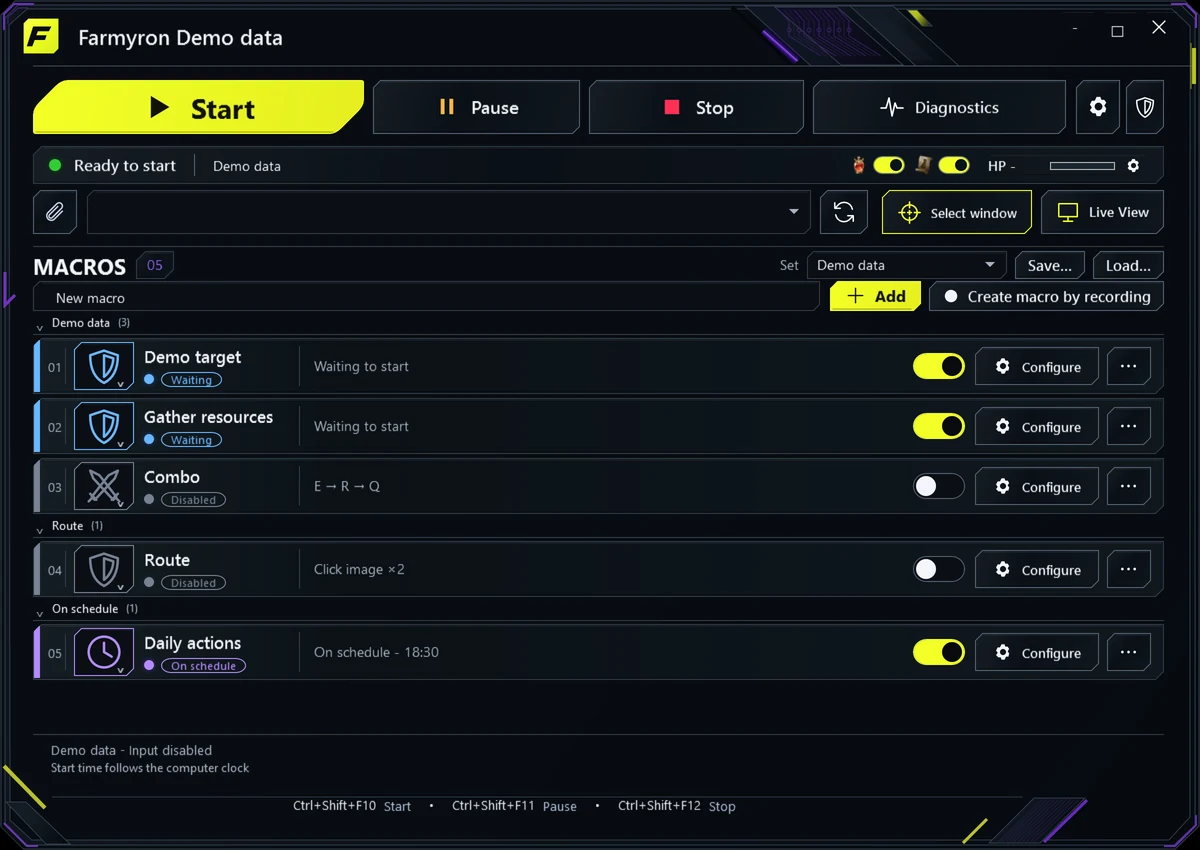
Real app windows with demo settings. Open any screenshot to inspect the details.

Groups, quick switches and clear execution status.

Images, keys and steps in one editor.

Your thresholds, your keys, parallel protection.

Several variants and a precise search area.

Choose a time, work period and next run.

Inspect the selected source in a separate preview window.
PC + ANDROID / USDT
04 / GET STARTED
Download the installer, choose a folder and create the shortcuts you need.
One key - one PC and one Android.
Select your LDCloud device or PC window. Build a macro and check the settings before starting.
READY FOR YOUR OWN SETUP?
Installer for Windows 10 / 11, 64-bit. A license key is required.
Release notes in the author's language
Farmyron: новое название, логотип и оформление заголовков. Обновлены установщик, ярлыки и переводы интерфейса. Настройки, макросы, лицензии и привязка к ПК сохраняются; обновление устанавливается поверх существующей версии.